Teach with presence,
not a stopwatch.
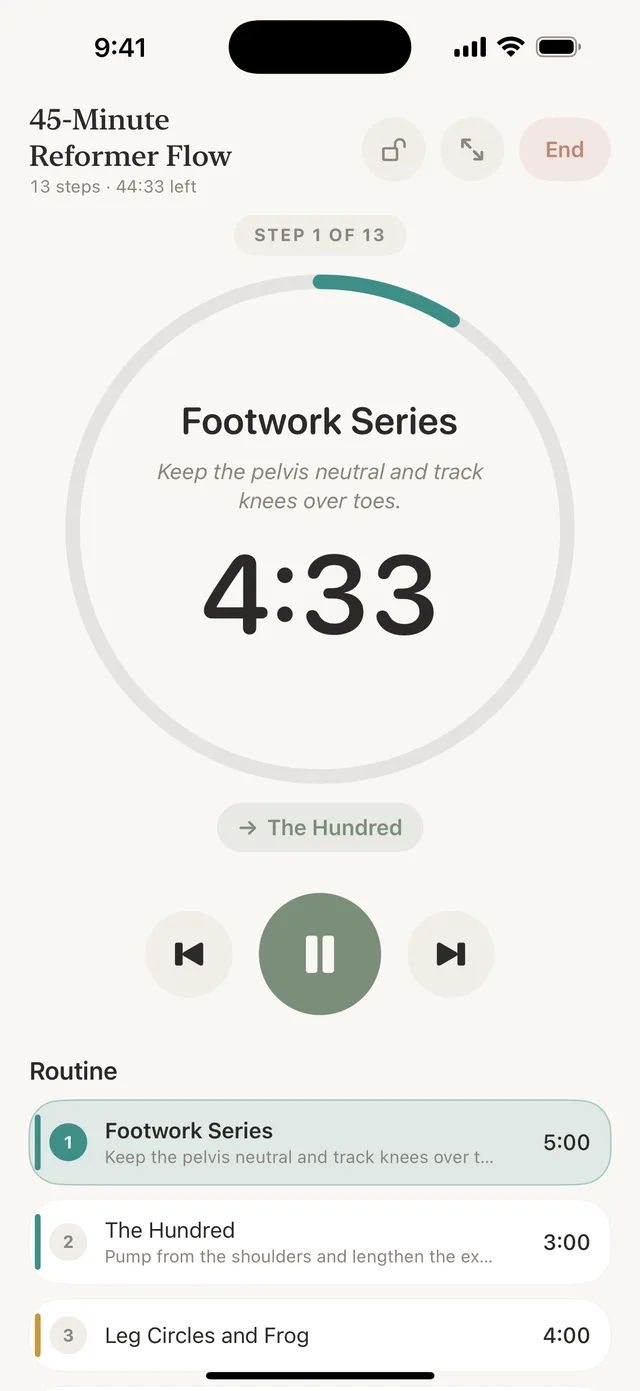
Cadence is the class timer for Pilates, barre, yoga, and HIIT instructors. Build the routine on iPhone or iPad, then teach it from your wrist, your phone, or a studio iPad, with the next move and your private cue always in view and a tap at every transition.
- Apple Watch
- iPhone
- iPad
- Free to start
Stop the clock stare
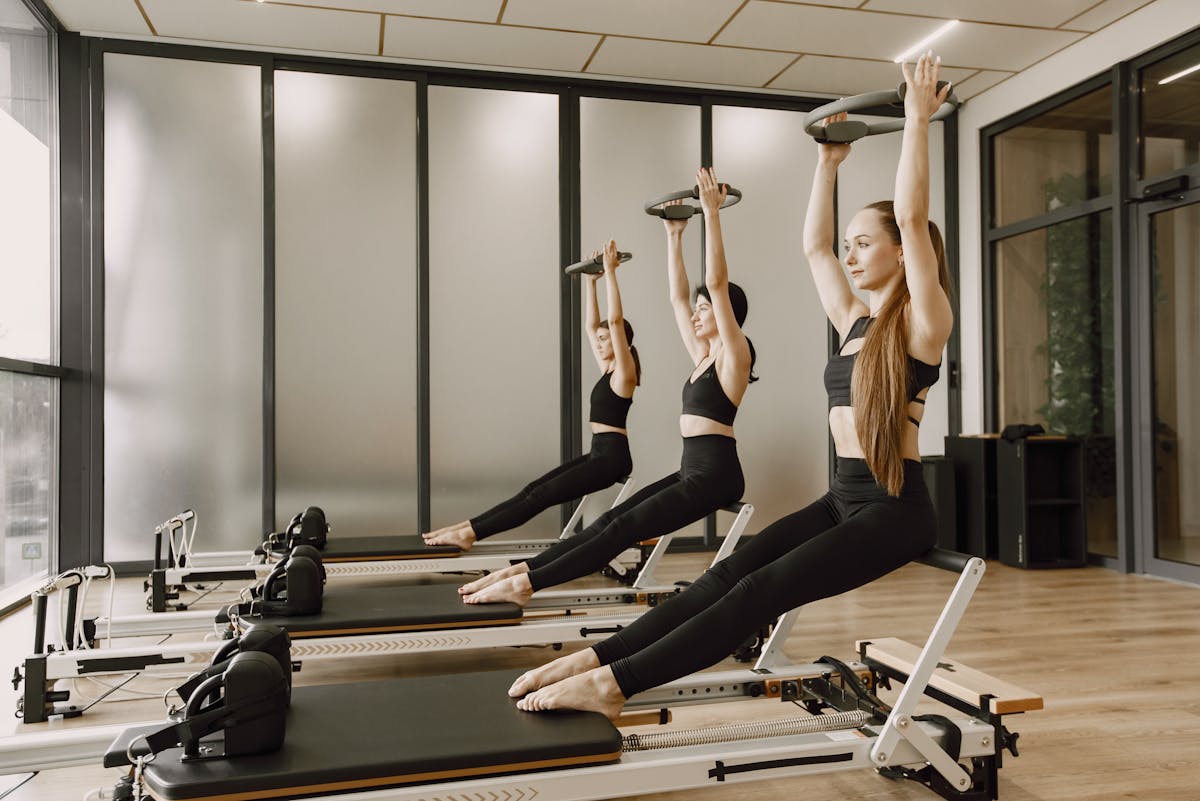
In Pilates, barre, yoga, and HIIT, the energy of the room is everything. But to keep a class on schedule, instructors end up glancing at a wall clock, checking a phone, or raising a wrist to read a stopwatch.
Every look away breaks eye contact, interrupts a correction, and pulls you out of the room. Your clients notice.
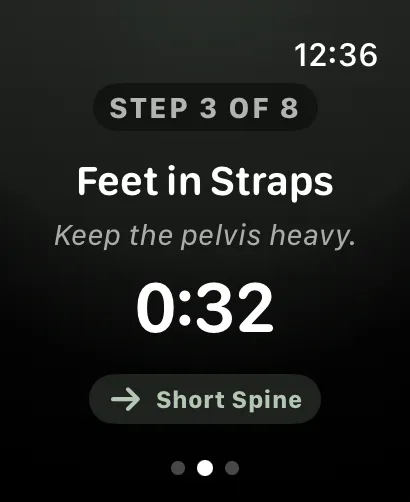
Cadence shows the move, the cue, and what comes next, and taps you before each change, so the only thing you watch is the room.
Prep on your phone.
Teach from your wrist.
Three steps from a class plan to a class. Tap a step to see it.
Build the flow
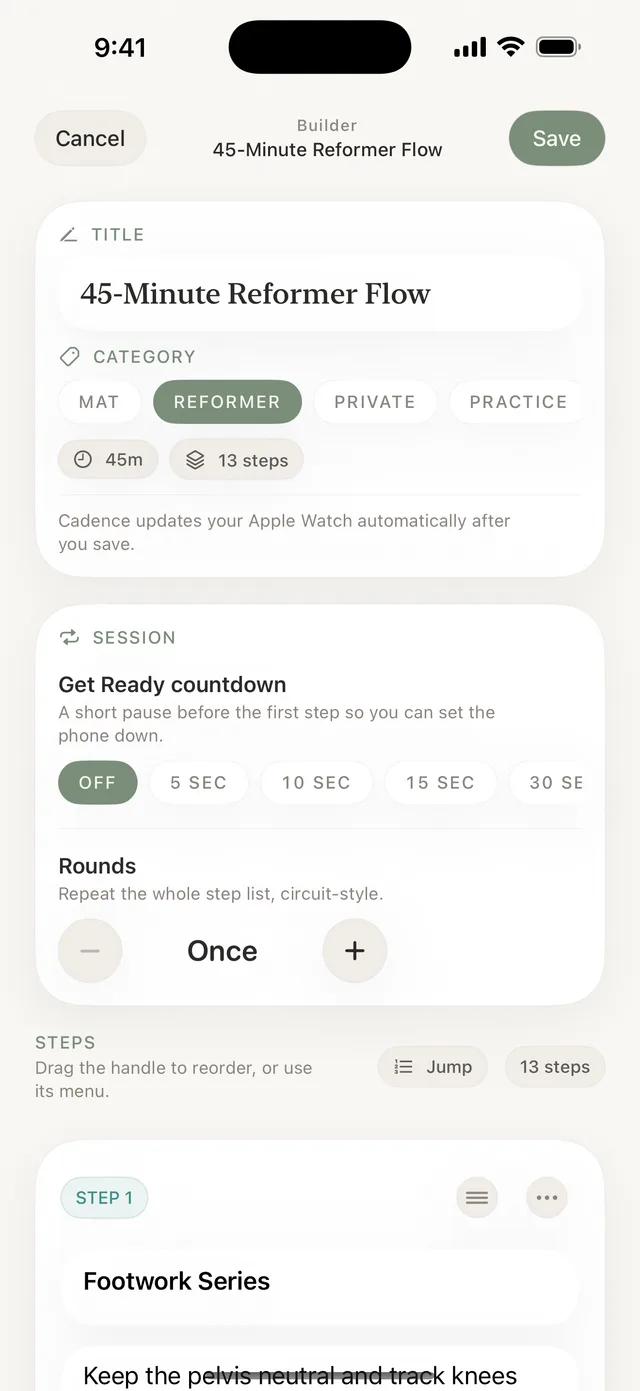
Open the builder on your iPhone or iPad. Add each move, set its seconds, and write the private cue you want to see when it comes up.
Sync to your wrist
Save, and Cadence keeps your Apple Watch library up to date whenever your phone and watch are connected. Start class from the wrist, the phone, or an iPad.
Teach by touch
Press play. A tap lands five seconds before each transition and again at the change, with the next move already on screen. No beeps, no clock.
Everything a class needs,
nothing a workout app wants.
Cadence is a teaching tool. Each piece exists because an instructor needed it mid-class.
Build the class once. Teach it for years.
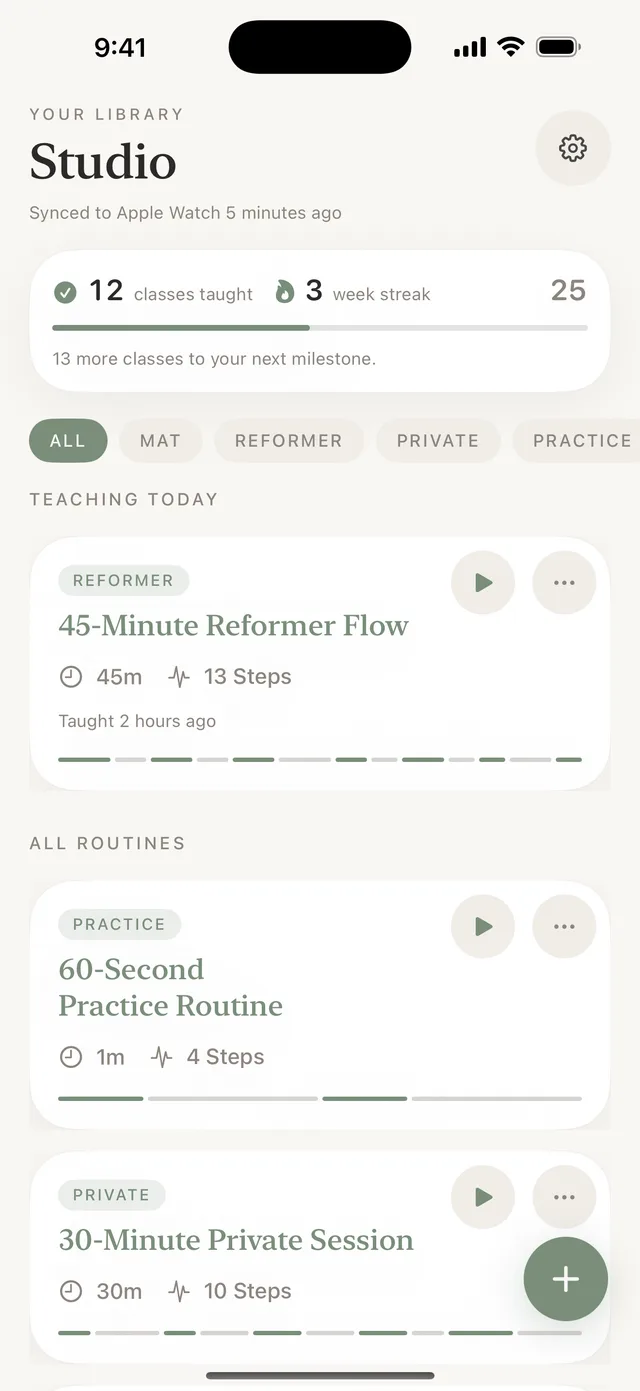
Every step has a name, its seconds, a private coaching cue, and a color. Drag to reorder, duplicate a routine to remix it for a new client, and tag it so a library of fifty classes still reads at a glance.
- Categories: Mat, Reformer, Private, Barre, Yoga, HIIT, Strength
- Starter templates for reformer, mat, private, and barre classes
- Duplicate and remix; archive the ones you are not teaching
- Chain routines into one class with compound routinesPro
Paste the plan you already have.
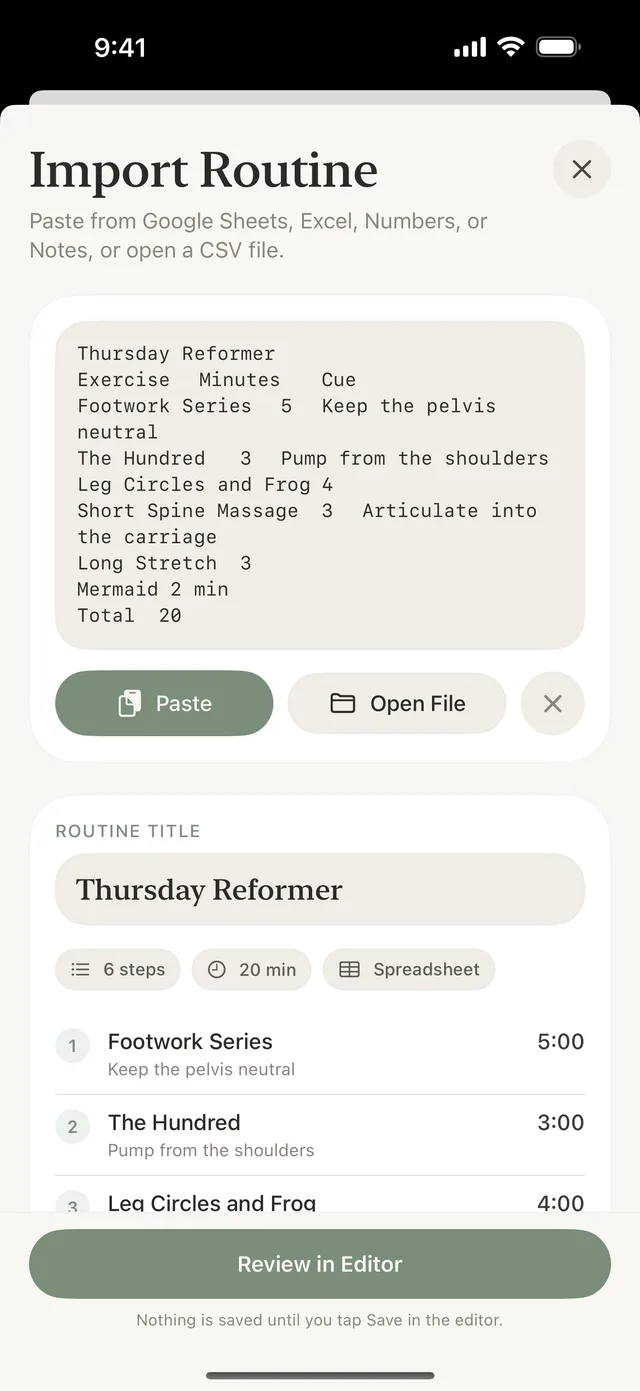
Copy a class plan from Google Sheets, Excel, Numbers, or Notes and paste it in, or open a CSV or tab-separated file. Cadence reads the move, the minutes, and the cue, then shows a review step before anything is saved.
- Rounds, rest, and step colors come across when the sheet has those columns
- Export any routine back out as CSV
- Share a routine as a link; the routine travels in the link and nothing is uploaded
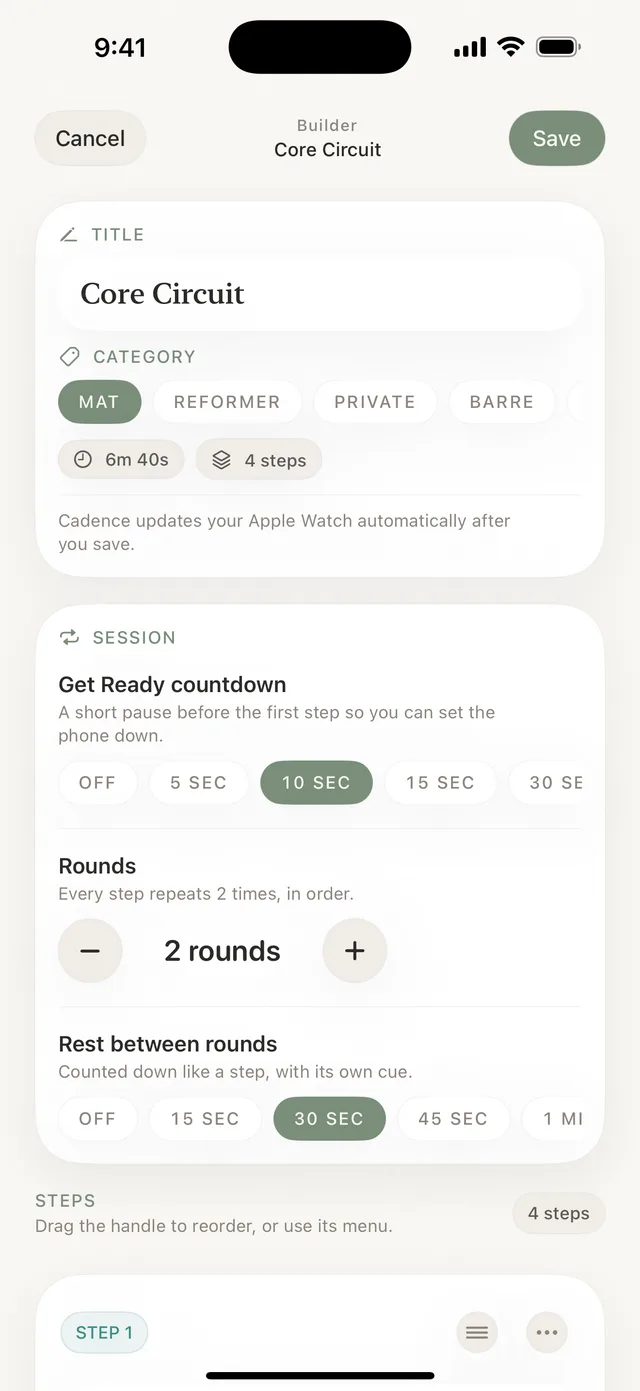
Circuits and Tabata without rebuilding the list.
Repeat the whole step list for as many rounds as the class needs, with rest between rounds counted down like a step and a Get Ready countdown before the first move so you can set the phone down.
- Interval templates: Tabata, HIIT 30/15, circuit with 5 stations, EMOM 10
- Round and step shown together on the wrist and the phone
- Rest between rounds gets its own cue
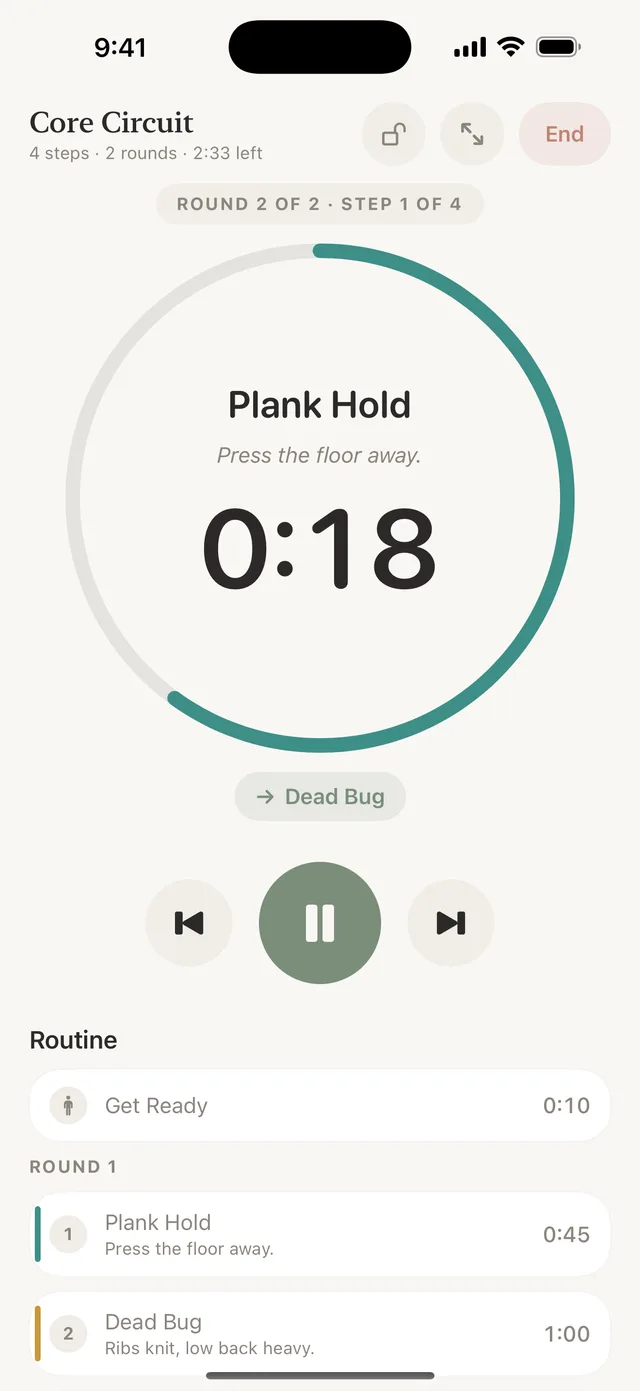
A tap before the change. Another at the change.
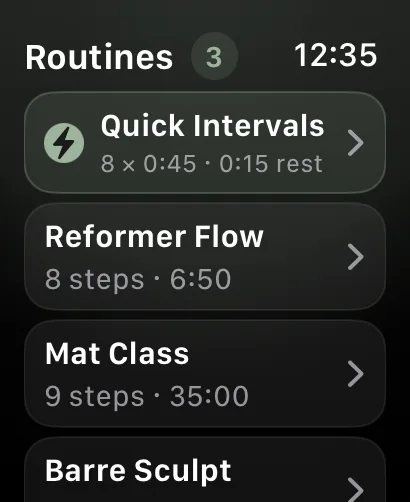
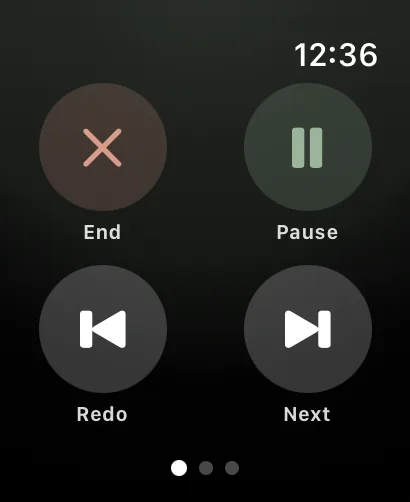
The wrist shows the current move, the countdown, what is next, and where you are in the class. Pause, skip, redo, or end early with a tap. Your hands stay on the client.
- Haptics at every step change and five seconds before it
- Full routine list on the wrist: what is done, what is now, what is left
- Quick Intervals: set work, rest, and rounds on the wrist with no phonePro
- A workout session keeps the timer active; saved to Health only when you allow it
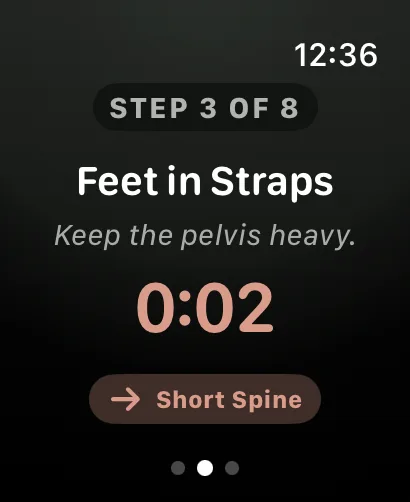
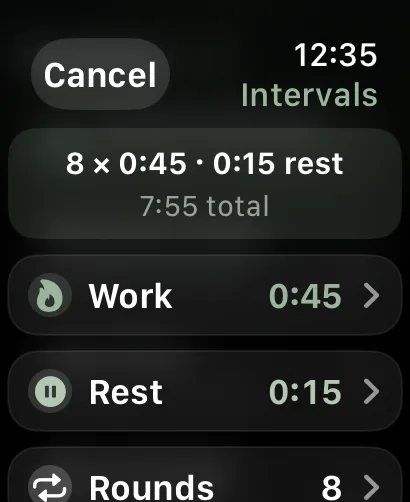
No watch? The same class runs on the phone.
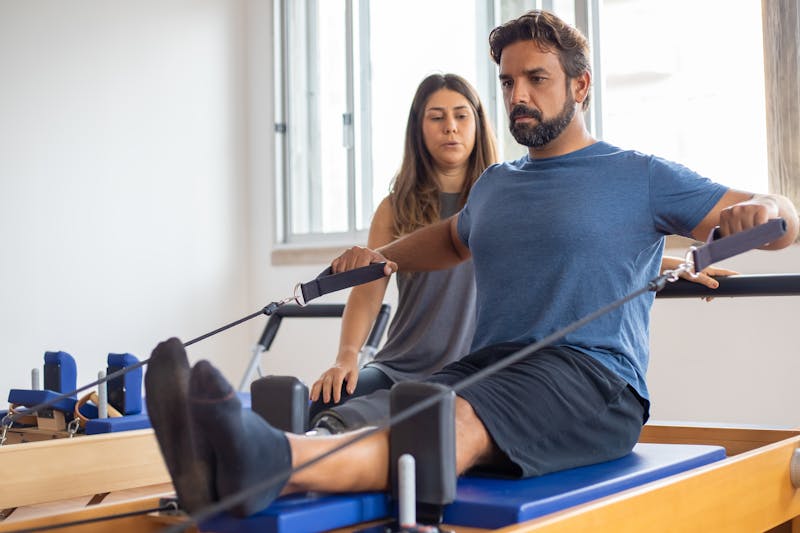
Prop an iPhone on the reformer and teach from the same view, or switch to focus mode for the move and the time only. Lock the screen with hold-to-unlock so a stray hand cannot end the class. On iPad, landscape puts the countdown and cue beside the full routine list so the room can read it.
- Focus mode: the move and the time, nothing else
- Screen lock with hold-to-unlock
- iPad landscape studio display
- Siri and Shortcuts: "Start Reformer Flow in Cadence"
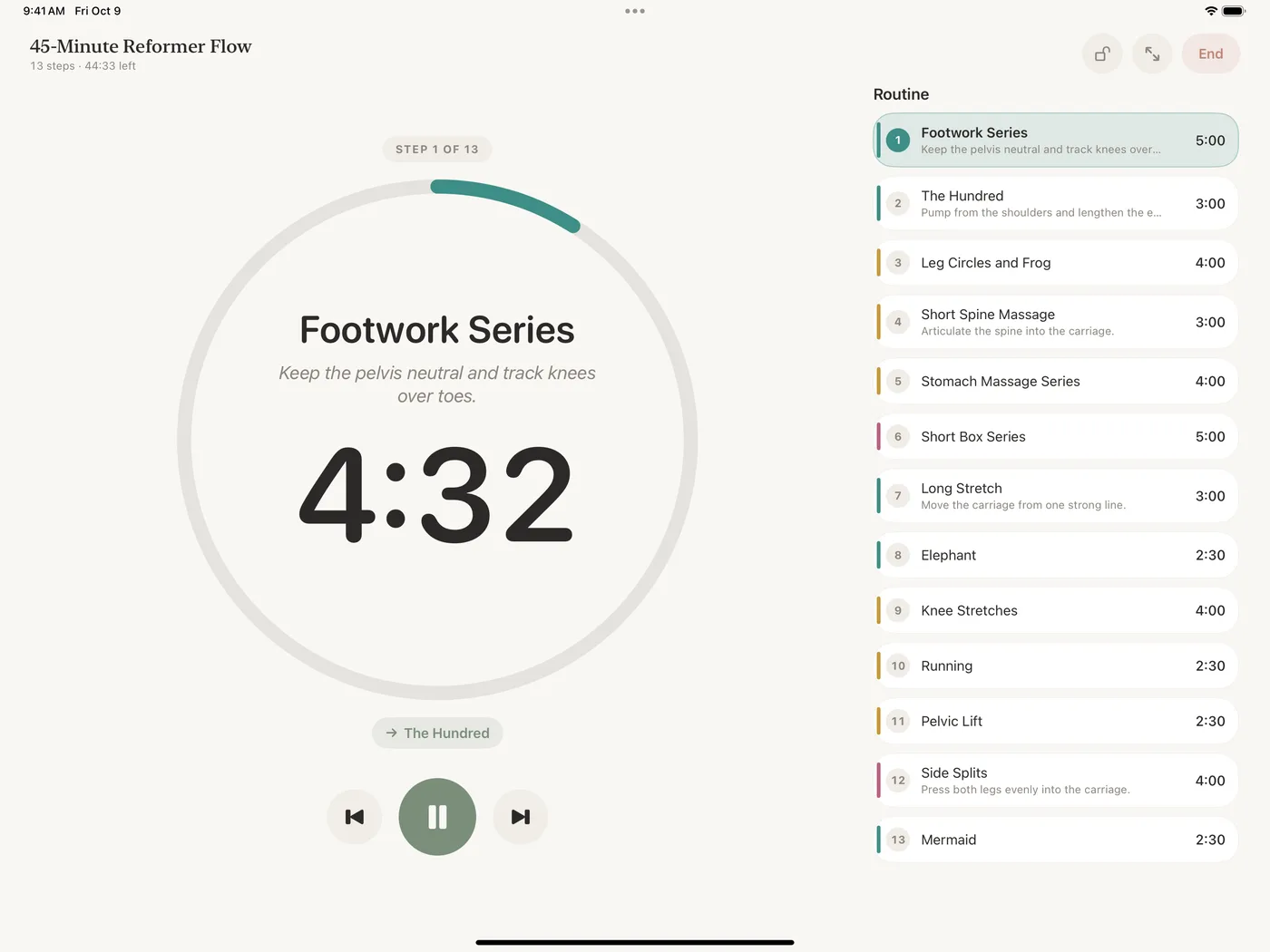
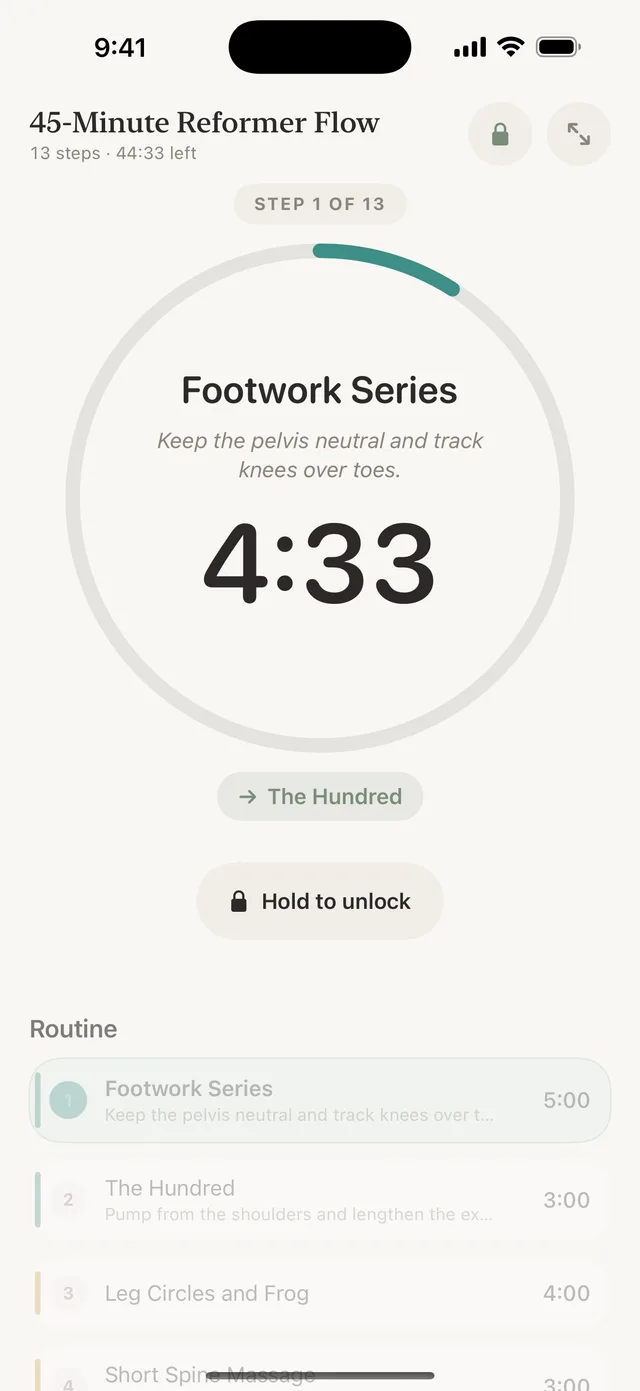
The timer follows you to the Lock Screen.
With the Lock Screen timer on, the current step, the countdown, and Pause and Next sit on the Lock Screen and in the Dynamic Island. Turn on keep running when locked and cues keep playing with the phone in your pocket.
- Live Activity and Dynamic Island with the step, countdown, pause, and nextPro
- Keep running when locked: timer and cues continue with the phone locked
- Headphone and media controls: pause and skip from AirPods
- Alerts when the screen is locked, as notifications at each step changePro
Silent until you say otherwise.
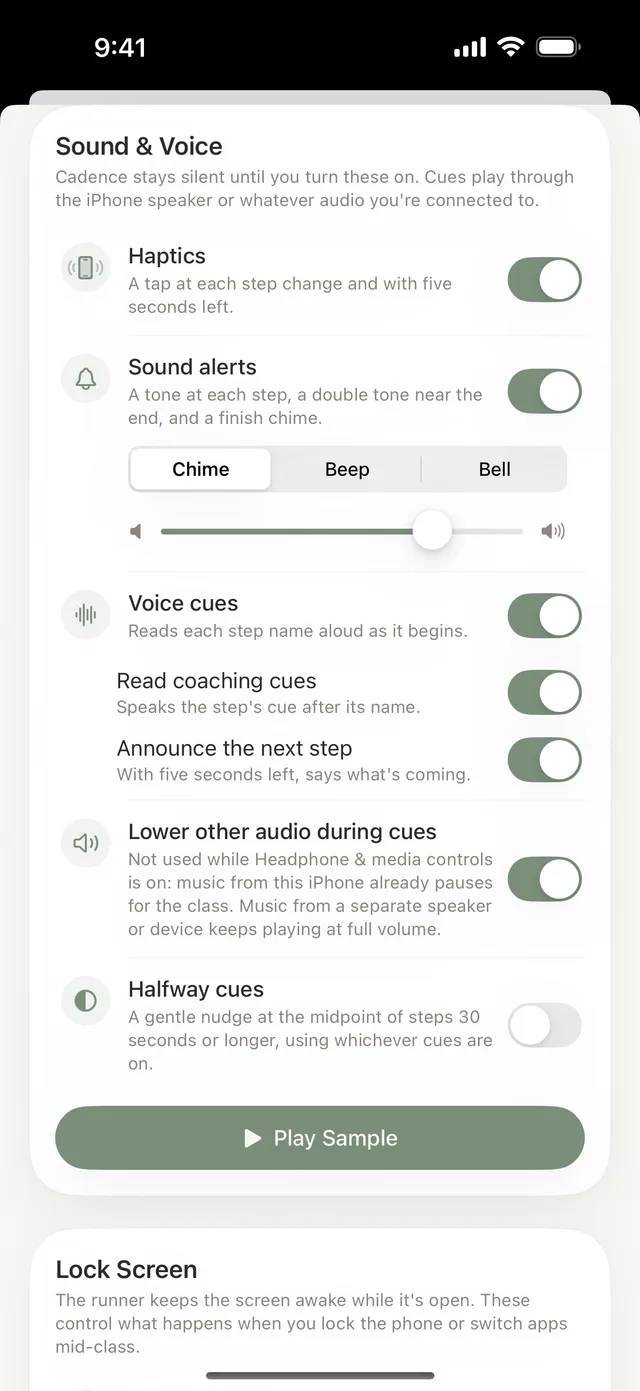
Cadence makes no sound until you turn one on. Choose a chime, beep, or bell at each step, a warning near the end, and a finish tone. Voice cues read the move and your coaching cue aloud. Other audio dips while a cue plays, so your playlist keeps going.
- Haptics on by default; everything else off until you choose it
- Halfway cues for steps of 30 seconds or more
- Voice cues read the move, the cue, and what is nextPro
- Play a sample before class to pick a tone
Every feature, in one place.
Everything here is free, except what sits under Cadence Pro in each list.
Plan
- Steps with name, seconds, private cue, and color
- Drag to reorder; jump to any step
- Starter templates: 45-minute reformer, 50-minute mat, 30-minute private, 45-minute barre
- Interval templates: Tabata, HIIT 30/15, circuit with 5 stations, EMOM 10
- Categories and filters: Mat, Reformer, Private, Barre, Yoga, HIIT, Strength, Practice
- Duplicate and remix
- Unlimited routines
- Archive routines
- Rounds, rest between rounds, Get Ready countdown
- Compound routines
- Paste from Sheets, Excel, Numbers, or Notes; open CSV
- Export as CSV
- Share as a link
Teach
- Apple Watch timer: move, countdown, up next, step count
- Full routine list on the wrist
- Pause, skip, redo, end early
- iPhone runner with the same view
- Focus mode
- Screen lock with hold-to-unlock
- iPad landscape studio display
- Keep running when locked
- Headphone and media controls
- Siri and Shortcuts
- Quick Intervals on the wrist
- Lock Screen timer and Dynamic Island
- Alerts when the screen is locked
Cues
- Haptics at each step change and five seconds before
- Sound alerts: chime, beep, or bell
- Warning near the end of a step and a finish tone
- Halfway cues on steps of 30 seconds or more
- Other audio dips while a cue plays
- Silent until you turn a cue on
- Voice cues that read the move and coaching cue
Everywhere
- iPhone, iPad, and Apple Watch
- Watch library kept up to date when connected
- Four appearance themes; the Watch follows the phone
- Teaching milestones and weekly streaks
- Workout session keeps the Watch timer active; saved to Health when you allow it
- Routines stay on your devices; nothing is uploaded
Built for Pilates.
Ready for the rest of your week.
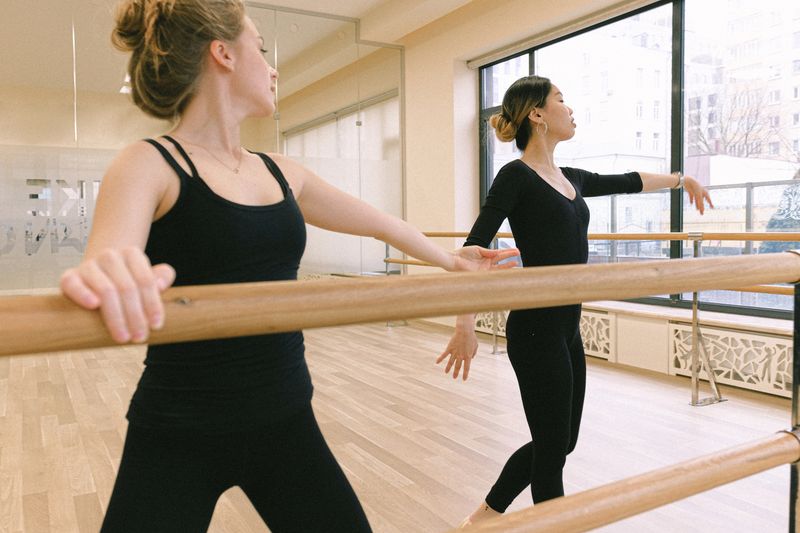
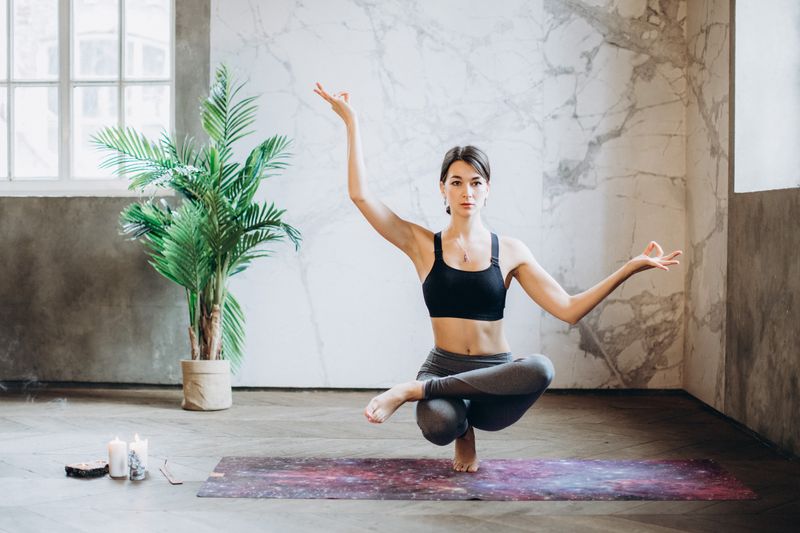
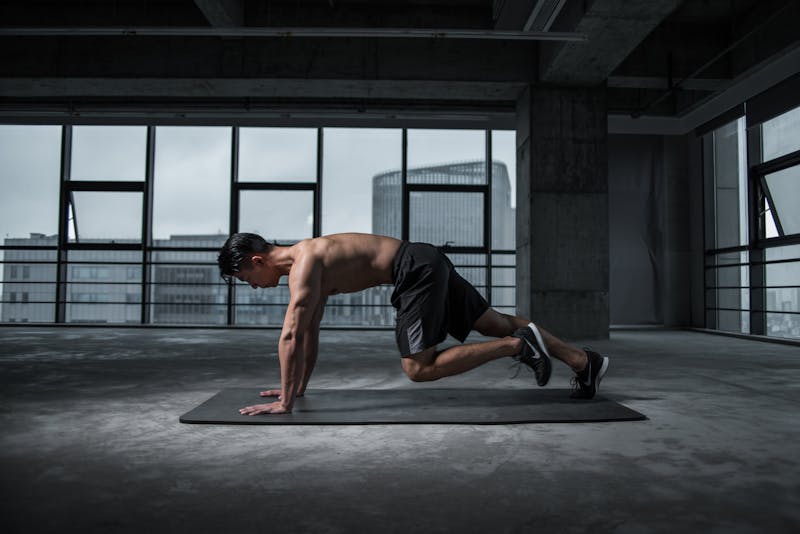
Tight interval circuits or slow 90-minute flows: build a timer that matches your class plan, down to the second.
A timer that knows the class.
A wall clock or a generic interval app makes you watch it. Cadence watches the plan so you can watch the room.
| Wall clock or phone timer | Generic interval app | Cadence | |
|---|---|---|---|
| Knows your class plan | No | Varies | Yes |
| Shows the next move before it starts | No | No | Yes |
| Private coaching cues only you see | No | No | Yes |
| A tap before each transition | No | Varies | Yes |
| Paste a plan from a spreadsheet | No | No | Yes |
| Built for teaching, not working out | No | No | Yes |
Start free. Go Pro when the library outgrows it.
Two routines and the Apple Watch timer are free for as long as you like. Pro is a monthly subscription with a 7-day free trial, cancelled any time in the App Store.
Free
Enough to teach a real class this week and decide after.
- Up to 2 active routines
- Starter and interval templates
- Step colors and private cues
- Apple Watch timer with haptics
- Teach from iPhone or iPad, focus mode, screen lock
- Sound alerts and halfway cues
- Keep running when locked, headphone controls
- Four appearance themes
Cadence Pro
7-day free trialEverything in Free, plus:
- Unlimited routines and archiving
- Spreadsheet import and CSV export
- Rounds, rest between rounds, Get Ready countdown
- Share a routine as a link
- Lock Screen timer and Dynamic Island
- Alerts when the screen is locked
- Voice cues that read the move and cue aloud
- Compound routines that chain classes together
- Quick Intervals on Apple Watch
Billed through the App Store after the trial. Prices may vary by region.
Studio pilots
Running a studio? We set Cadence up by hand with your instructors and class plans.
Questions
What instructors ask before their first class with Cadence.
No. You can build and teach a class entirely from an iPhone or iPad. The Apple Watch adds the hands-free part: haptic taps and the next move on your wrist while your hands stay on the client.
On Apple Watch, Cadence runs the class as a workout session so the timer stays active on the wrist. On iPhone, the runner keeps the screen awake while it is open, and with keep running when locked turned on, cues continue with the phone locked.
Save a routine on your iPhone and Cadence keeps your watch library up to date whenever the phone and watch are connected. Nothing is uploaded to a server; routines stay on your devices.
Copy it from Google Sheets, Excel, Numbers, or Notes and paste it in, or open a CSV or tab-separated file. Cadence reads names, minutes or seconds, and cues, then shows a review step before anything is saved. Import is part of Cadence Pro.
Free includes two active routines, templates, step colors, the Apple Watch timer, teaching from iPhone and iPad, sound alerts, and halfway cues. Cadence Pro is $9.99 a month after a 7-day free trial and adds unlimited routines, spreadsheet import and export, rounds, share links, the Lock Screen timer, locked-screen alerts, voice cues, compound routines, and Quick Intervals.
Yes. Cadence was built for Pilates first, and the same timer runs barre, yoga, HIIT, bootcamp, and personal training. Rounds and the Tabata, HIIT 30/15, circuit, and EMOM templates cover interval formats.
Every step can carry a coaching cue, like "keep the pelvis neutral". It shows on your wrist or phone when the step comes up and nowhere else, so your notes stay in front of you and invisible to the room.
Cadence is a teaching timer, not a fitness tracker. The Apple Watch uses a workout session to keep the timer active and saves the completed session to Health only when you allow it.
iPhone and iPad on iOS 17 or later, and Apple Watch Series 4 or newer, including SE and Ultra, on watchOS 10 or later.
Studio pilots are set up by hand with us, so every instructor starts with the studio’s class plans already loaded. Get in touch through the support page and we will take it from there.
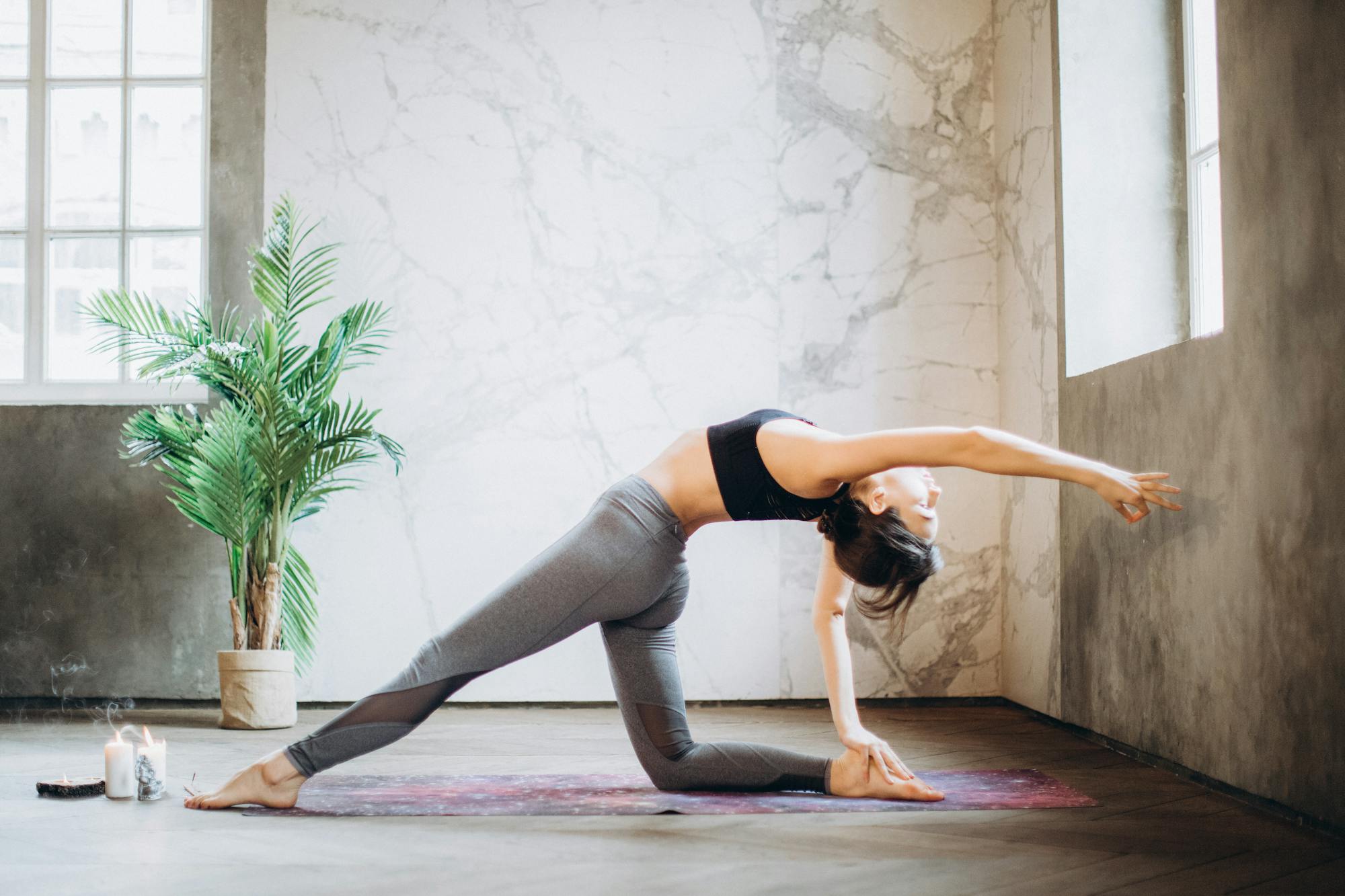
The best classes feel like the instructor never left the room. Cadence keeps the time so you can stay in it.
Stay in the room. Keep the flow.
Teach your next class with Cadence.
Free on the App Store for iPhone, iPad, and Apple Watch. Build your first routine in a few minutes.
Download on the App StoreiOS 17 or later. Apple Watch Series 4 and newer on watchOS 10 or later.